What Makes a Remote Telescope Rig Easy to Host (and What Turns It Into a Nightmare)
A pragmatic checklist for anyone deciding whether to host their own scope or move to a remote site. Focus on the hardware and operational choices that shorten the weeks‑to‑months provisioning phase and stop tickets from becoming permanent chores.
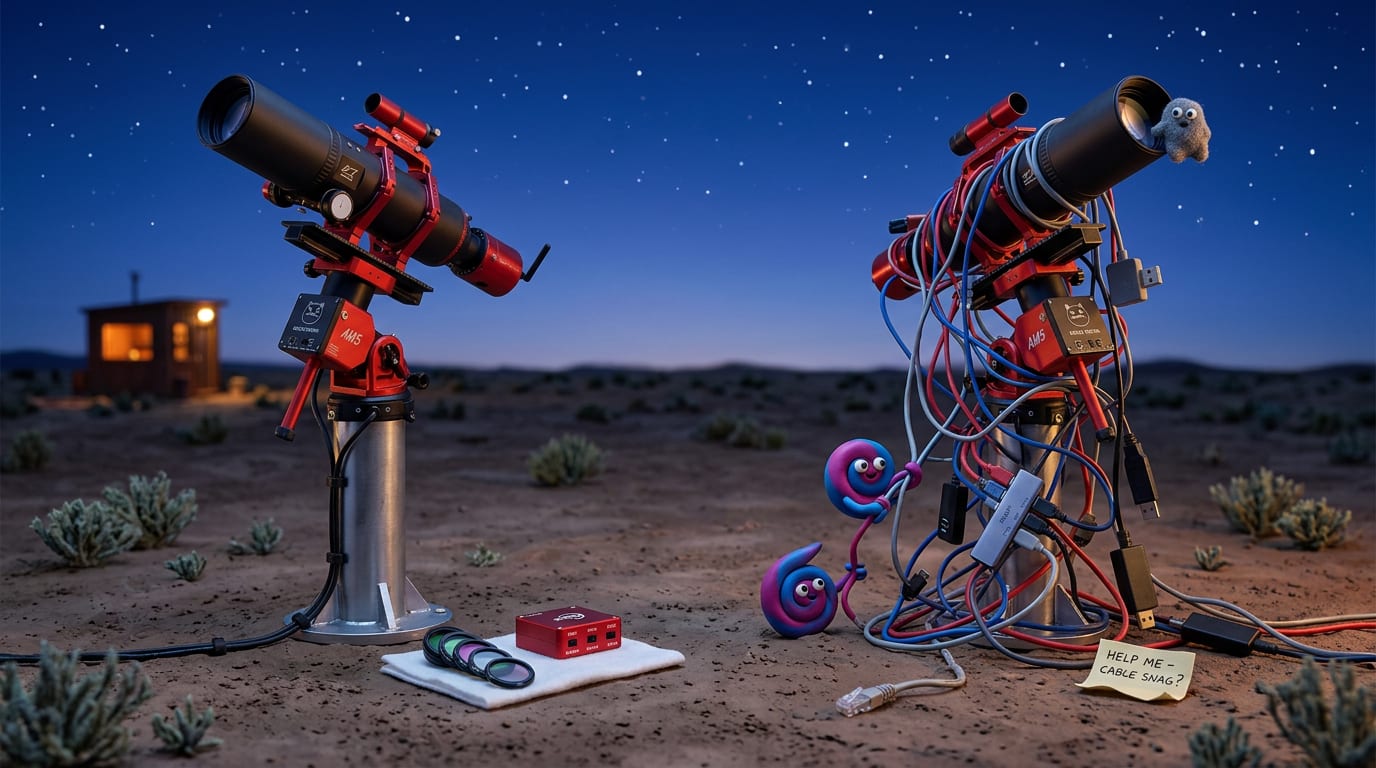
Remote hosting sells a simple promise: dark skies and more usable hours. The reality that shows up in forum threads is less tidy. The nights gained rarely come free; they are paid for in upfront provisioning, disciplined cabling, and careful hardware choices. For many photographers the real cost of hosting is not the monthly fee but the months of debugging that leave a rig stable enough to run unattended.
Where the headache begins: the provisioning phase
Most stories about a “nightmare host” share the same arc. A scope ships, the install team assembles it, and the first three weeks produce a steady stream of small failures: a USB camera that drops, a focuser that loses steps, a dew heater circuit that overheats, or a filter wheel that stalls. Each failure requires a ticket, a technician visit, or an expensive shipping and repair cycle. That pile of small defects is what turns hosting from “convenient” into “unreliable.”
Design decisions that make a rig easy to host
These are the hardware and operational choices that reduce the need for site visits and keep the ticket queue short.
- Simple optical train. Small, fixed‑optics refractors or apochromatic astrographs need no regular collimation. A 448mm f/4.9 RedCat 91, for example, avoids secondary alignment work that an RC or large SCT will demand. Note the RedCat 91 with an APS‑C sensor gives about a 3.0 by 2.0 degree field; anything larger requires mosaics and more operational complexity.
- Fewer moving parts. Each motor, rotator, or custom adapter is another failure mode. Motorized focusers with proven reliability (ZWO EAF style) and a single well‑supported filter wheel reduce surprises.
- Standard, serviceable connectors and documented cable runs. Metal connectors, captive screws or keyed plugs, labeled ends and a single cable trunk make on‑site swaps fast. Avoid ad hoc adapters or proprietary connectors that require a technician to source a part.
- On‑site spares and a spares log. A short list of common replacement parts on site (USB cables, filter wheel ribbon, focus motor, fuses) cuts turnaround time to hours instead of days.
- Robust power and network design. UPS for controlled shutdowns, IP power switches for remote power‑cycling, and a wired ethernet backbone. Wireless backhauls are convenient but fragile; community reports show mesh nodes failing at ~12 m and long runs solved by direct Cat5/6 runs.
- Remote health telemetry and on‑camera views. Temperature, humidity, camera temperatures, guider logs, plus a small webcam on the pier let a remote operator triage many issues without a trip.
- Well‑documented and automated startup sequences. A tested NINA sequence that runs focus, plate solve, guide calibration and safety checks reduces human intervention. Automations should include automatic retry logic and graceful stops on persistent faults.
What turns a rig into a nightmare
Conversely, these are the choices or failures that create long ticket queues and regular visits.
- Complex optics that need hands‑on alignment. Large Ritchey‑Chrétien or Schmidt‑Cassegrain systems often require collimation and tilt adjustments an on‑site tech must perform.
- Undocumented custom wiring. Non‑standard cabling, hidden splices, or poorly routed cables that snag at every meridian flip are a constant source of failures.
- Wireless‑only networking. Mesh Wi‑Fi that seems fine in the shop frequently fails in situ. Community advice often converges on running a dedicated Cat5/6 run where possible.
- Slow or opaque support and surprise fees. If the host charges hourly for “advanced” tech support, small recurring fixes quickly outweigh the monthly hosting fee. Also check for piggyback fees, shipping, or repair surcharges.
- Too many moving parts and third‑party drivers. Each device and driver (rotators, aftermarket focusers, USB hubs with proprietary firmware) multiplies failure modes and driver mismatches under Windows or on mini PCs.
- Poorly architected power. No UPS, no remote power control, or single‑point failure for the mount power will convert a short outage into a lost night and a support ticket.
Practical due diligence before shipping a scope
Before choosing hosting or shipping a scope, run this checklist. It is intentionally short and actionable.
- Test the full sequence at home with the exact same hardware and software (NINA, drivers, EAF, filter wheel). If it fails at home, it will fail faster at the remote site.
- Ask the host what is included in the install: do they provide spare USB cables, a ladder to reach the pier, and cable management? Is advanced support billed hourly?
- Confirm network topology: is the site wired to each pier, or wireless? Is remote power cycling available per outlet?
- Require a clear SLA for response times and a published price list for common services and parts (installation, piggybacking, shipping for repair).
- Insist on remote telemetry and a pier‑facing webcam for triage.
- Plan for spares or a logistics plan: who pays shipping and how are replacement cameras handled?
How a turnkey wide‑field rig avoids most tickets
A properly chosen wide‑field refractor rig avoids many classic hosting pitfalls: no collimation, lightweight payload, mature drivers for the common parts (focuser, filter wheel, mount), and a modest field of view that keeps framing simple. That is why many hosting projects use small APOs or fixed refractors as the first instrument to migrate to a remote pier.
ScopeBnB's telescope is a William Optics RedCat 91 WIFD III (448mm f/4.9) with a ZWO ASI2600MC on a ZWO AM5n, ZWO filter wheel, ZWO EAF, and guiding with a WO UniGuide 32 plus ASI220 Mini. The combination gives a reliable, low‑maintenance platform that needs far less hands‑on tuning than a large RC. It is hosted at Starfront Observatories in Rockwood, Texas under Bortle 1 skies.
Final decision checklist
If the answer to most of these is yes, hosting is likely to be an efficiency, not a burden:
- Can the rig be fully tested end‑to‑end at home?
- Does the host include spares and transparent pricing for technician time?
- Is the network wired and is remote power cycling available per outlet?
- Are common failure modes covered by a local spare or a fast support SLA?
- Is the optical design one that resists routine hands‑on alignment?
Remote hosting gives access to dark skies and a dramatic rise in usable imaging hours, but only if the rig and the hosting site are designed to remove the small, recurring failures that demand visits. Plan for the provisioning phase, insist on documentation, and favor simple, serviceable hardware. That is the difference between a hosted rig that frees time for imaging and a hosted rig that spends most of its life in the ticket queue.